
Keyword research that ends in a list of clients
Type a keyword and a place. KeywordQuasar shows how many people search for it on Google there each month, what a click costs and the related searches, then the businesses of that kind in the same place, with the lead list one click away.
- Monthly Google searches for any city or country
- Keyword ideas and what a click costs
- The businesses there, and which have no website
- The lead list in one click
- 3 free searches a day
- No signup to try
- Google's own numbers
- Dashboard
- Find leads
- Companies
- CRM
- Sequences
- Keyword research
- Rank tracker
- Ranking keywords
- Website audit
- Website visitors
- Settings
Keyword research
How many people search, and who to sell to.
Monthly search volume
3,600 people search for “plumber” in Austin, Texas every month (Google)
- plumber3,600Low33.09–113.13 USD
- emergency plumber480Low52.29–178.50 USD
Google Ads data for Austin, Texas, 30 Oct 2026
KeywordQuasar at a glance
Monthly searches
Google's figure for the keyword in the place.
Keyword ideas
Related searches, each with its own volume.
Cost per click
What advertisers pay, and the competition.
Any country
Any place Google Ads targets, in its language.
Trends
Google Trends for the past 12 months.
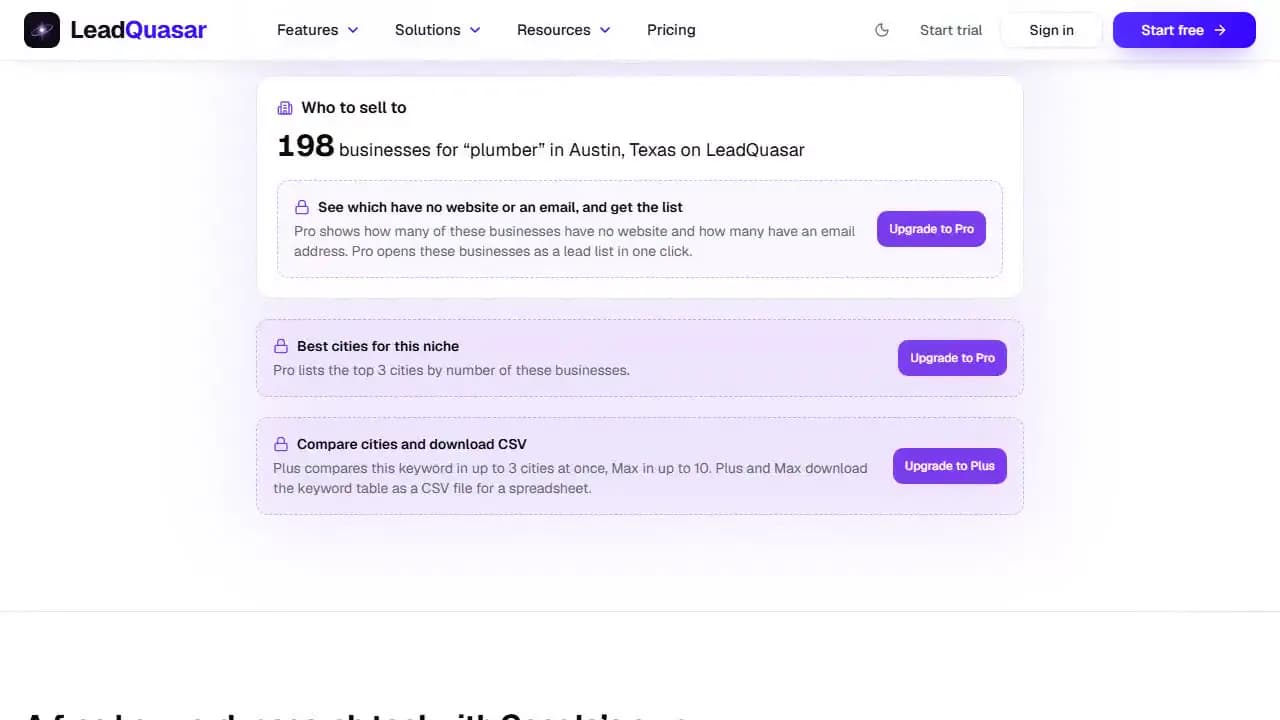
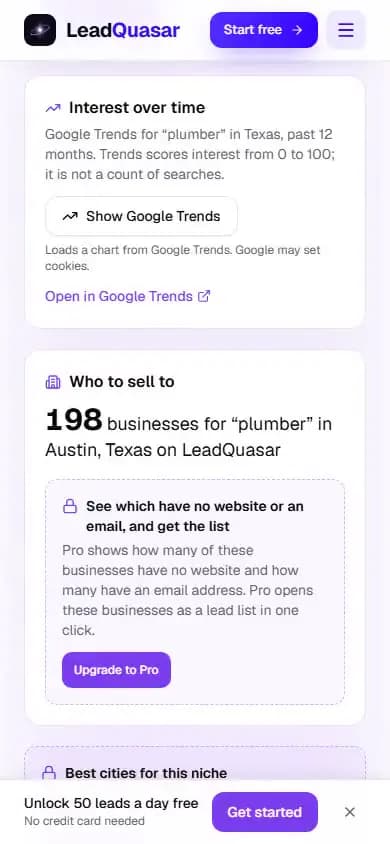
Who to sell to
The businesses there, and who has no website.
Best cities
Where the niche has the most businesses.
Compare and CSV
Places side by side, and a spreadsheet, on Plus and Max.
The searches, then the businesses behind them
Every result ends with who to sell to: how many businesses of that kind LeadQuasar holds in the place, and on paid plans which have no website or an email, with the lead list one click away.
- 1. The search“plumber” in Austin, TX
- 2. The demand3,600 Google searches a month, low competition
- 3. Who to sell toThe plumbers in Austin on LeadQuasar: how many, which have no website, which have an email
KeywordQuasar in practice
How it works
KeywordQuasar in 4 simple steps.
- 1Type a keywordType a keyword, such as plumber or roof repair.
- 2Pick a placeType a city, county, state or country.
- 3Read the demandRead the monthly searches, the keyword ideas and what a click costs.
- 4Get the leadsSee the businesses there, and open the lead list.
Where the numbers come from
Each part of a result, and its source.
 Google AdsSearches, bids, ideas
- Bing WebmasterPlus and Max
- Google TrendsEvery plan
- LeadQuasarThe businesses
- CSV exportPlus and Max
- LeadQuasar AIMax
Ways to use a result
What agencies and freelancers do with it.
- 1Pick a nicheWhich trade has the most searches where you sell.
- 2Pick a cityWhere demand meets enough businesses to pitch.
- 3Price the workWhat a click costs shows what a lead is worth.
- 4Pitch with numbersShow a business how many people search for it.
Built for people who sell to local businesses
- Find the niche and the city with demand, then the businesses there that need you.SEO agenciesLocal SEO and marketing
- See how many people search for a trade, then which of those businesses have no website.Web designersFreelancers and studios
- What a click costs in a city, before you quote a client for a campaign.Ad freelancersGoogle Ads and PPC
Try KeywordQuasar free
3 searches a day with no account. Paid plans search more and add the lead list.
Watch a search, start to finish
A keyword and a city, the monthly searches, keyword ideas and the businesses to sell to.
On desktop
On your phone
Recorded on leadquasar.com, signed out, on 3 November 2026: “plumber” in Austin, TX. Watch it with the transcript
What you can do
Search volume for any place
How many people search Google for a keyword in an average month in a city, county, state or country, from Google Ads Keyword Planner data. Under 10 a month, it says so rather than showing a 0.
Keyword ideas
Related searches in the same place, each with its own monthly searches, sortable: up to 5 a search free, up to 500 on Max.
What a click costs
The top-of-page bid range advertisers pay, low to high, and Google's competition band, for the keyword and every idea, on Pro and up.
Bing searches
Bing Webmaster data on Plus and Max: searches on Bing across the country over the last four weeks, for the keyword with the city, and Bing's related searches.
The trend
Google Trends' own chart for the past 12 months, on every plan, loaded only when you ask for it.
Who to sell to
How many businesses of that kind LeadQuasar holds in the place, on every plan. On Pro and up, how many have no website and how many have an email, and the lead list in one click.
Best cities for the niche
The cities with the most of these businesses in the country: the top 3 on Pro, 10 on Plus and 50 on Max.
Compare cities
One keyword in several places side by side: up to 3 on Plus and 10 on Max.
CSV export
The keyword and every idea, with searches, competition and bids, as a CSV file, on Plus and Max.
Your recent searches
In the app, a past search opens again in one click. Searches are kept 7 days on Pro, 30 days on Plus and with no limit on Max.
In LeadQuasar AI
On Max, ask in a sentence, such as which Texas city is best to sell SEO to roofers, and the assistant does the research.
On each plan
The limits below are the ones the product enforces.
Searches a day
- Free
- 3
- Pro
- 20
- Plus
- 50
- Max
- 100
Monthly Google searches for the keyword
- Free
- Pro
- Plus
- Max
Cost per click and competition
- Free
- —
- Pro
- Plus
- Max
Keyword ideas per search
- Free
- Up to 5
- Pro
- Up to 20
- Plus
- Up to 50
- Max
- Up to 500
Businesses to sell to
- Free
- Count
- Pro
- Count, no website, email
- Plus
- Count, no website, email
- Max
- Count, no website, email
One-click lead list
- Free
- —
- Pro
- Plus
- Max
Bing searches
- Free
- —
- Pro
- —
- Plus
- Max
Google Trends chart
- Free
- Pro
- Plus
- Max
Best cities for the niche
- Free
- —
- Pro
- Top 3
- Plus
- Top 10
- Max
- Top 50
Compare cities side by side
- Free
- —
- Pro
- —
- Plus
- Up to 3
- Max
- Up to 10
CSV export
- Free
- —
- Pro
- —
- Plus
- Max
History of your searches
- Free
- —
- Pro
- 7 days
- Plus
- 30 days
- Max
- Unlimited
In LeadQuasar AI
- Free
- —
- Pro
- —
- Plus
- —
- Max
| Feature | Free$0 | Pro$9.99/mo | Plus$21.99/mo | Max$29.99/mo |
|---|---|---|---|---|
| Searches a day | 3 | 20 | 50 | 100 |
| Monthly Google searches for the keyword | ||||
| Cost per click and competition | — | |||
| Keyword ideas per search | Up to 5 | Up to 20 | Up to 50 | Up to 500 |
| Businesses to sell to | Count | Count, no website, email | Count, no website, email | Count, no website, email |
| One-click lead list | — | |||
| Bing searches | — | — | ||
| Google Trends chart | ||||
| Best cities for the niche | — | Top 3 | Top 10 | Top 50 |
| Compare cities side by side | — | — | Up to 3 | Up to 10 |
| CSV export | — | — | ||
| History of your searches | — | 7 days | 30 days | Unlimited |
| In LeadQuasar AI | — | — | — |
KeywordQuasar: questions
Is KeywordQuasar free?
Yes: 3 searches a day with no account. Paid plans search more (Pro 20 a day, Plus 50, Max 100) and add what a click costs, more keyword ideas, the business detail and the lead list; Plus and Max add Bing, compare and CSV.
Where do the numbers come from?
Monthly searches, cost per click, competition and keyword ideas are Google Ads Keyword Planner data, asked from Google for the place and language you pick. Bing searches are Bing Webmaster data. The businesses are counted from LeadQuasar's business database. Every figure is the source's own, never estimated.
How is it different from Semrush or Ahrefs?
They are full SEO suites, with keyword difficulty, backlinks and ranking history that KeywordQuasar doesn't have. KeywordQuasar answers two questions: how many people search for a service in a place, and which businesses there to sell to, with the lead list, a CRM and outreach in the same account.
Does it work outside the US?
Yes. Search numbers work for any country Google Ads can target, in the place's own language or one you pick. Business counts cover the countries in LeadQuasar's database; elsewhere the tool says so.
Who is it for?
Anyone who sells to local businesses: SEO and web agencies picking a niche and a city, ad freelancers pricing a campaign, and owners checking demand before they open or expand.